Jailing Programs via Docker: Using Linux Containers for Security
Jay Beale demonstrates isolating untrusted network services and legacy applications using Docker containers, namespaces, and cgroups.
Summary
### The Shift from Multi-Tenancy to Security Isolation While Docker was primarily popularized among software developers for packaging microservices and maximizing hardware density, security practitioners quickly recognized its potential as an operational confinement tool. In this presentation, Linux security expert Jay Beale demonstrates how to utilize Docker containers as modern security "jails"—isolated execution environments designed to contain vulnerable services, untrusted applications, and attacker blast radiuses. Rather than spinning up full-blown virtual machines with dedicated hypervisors and heavy guest operating systems, containers offer instantaneous startup and minimal overhead while enforcing meaningful isolation when configured properly.
### Linux Kernel Primitives: Namespaces and Cgroups Beale demystifies the core Linux kernel mechanisms that underpin containerization, emphasizing that containers are not distinct virtualization entities, but rather standard host processes constrained by kernel features: - **Linux Namespaces:** Namespaces restrict what a process can see. Key namespaces include PID (restricting process tree visibility to internal container processes), Mount (providing an isolated file system root), Network (virtualized network interfaces, routing tables, and firewall rules), IPC (isolating inter-process communications and shared memory), UTS (hostnames and NIS domains), and User namespaces (mapping container UID 0 to an unprivileged host UID). - **Control Groups (cgroups):** Cgroups govern resource consumption, preventing malicious or compromised processes from starving the host. Administrators can define strict quotas for CPU utilization, maximum memory limits, block I/O bandwidth, and maximum process counts (pids cgroup) to thwart fork bombs and local denial-of-service attempts.
### The Docker Architecture, Layers, and Filesystem Jails The talk walks through the technical anatomy of Docker images and storage drivers: - **Layered Union Filesystems:** Docker leverages copy-on-write filesystems (such as AUFS or OverlayFS) to stack read-only image layers under a transient writable top layer. Beale demonstrates how `docker commit`, `docker history`, and `docker inspect` expose the construction of base distributions (like CentOS or Debian) and how image immutability aids forensic analysis. - **Volume Mounting Realities:** To handle logging or persistent data, containers often mount host paths into the jail (such as mounting `/dev/log` for syslog/journald integration). Beale warns that improperly mounted host files or directories represent immediate bridgeheads for container escapes if write access is granted to sensitive host paths.
### Container Escape Vectors and Privileged Pitfalls A critical portion of the presentation focuses on common configuration blunders that completely invalidate container security: - **The `--privileged` Flag Trap:** Running a container with `--privileged` disables almost all security constraints, granting the container access to all host device nodes (`/dev`), enabling kernel module loading, and re-enabling dangerous capabilities. In a privileged container, escaping to the host kernel is trivial. - **The Root Problem:** By default, the `root` user inside a Docker container shares the identical kernel UID (0) as `root` on the host operating system. If a vulnerability allows an attacker to break out of the namespace boundary, they possess full root authority over the host kernel. - **Exposed Docker Sockets:** Mounting `/var/run/docker.sock` inside a container provides full administrative control over the host Docker daemon, allowing attackers to spin up arbitrary containers with root privileges on the host filesystem.
### Hardening Container Jails for Defensive Security Beale provides concrete defensive hardening recipes for securing enterprise services inside Docker containers: - **Dropping Linux Capabilities:** Containers run with a default subset of Linux capabilities. Defenders should explicitly drop all unnecessary privileges using `--cap-drop=ALL` and selectively add back only essential capabilities (such as `--cap-add=NET_BIND_SERVICE` for low ports). - **Enforcing Non-Root Execution:** Build Dockerfiles with dedicated, unprivileged user accounts (`USER serviceuser`) so that software compromises yield non-root processes inside the container. - **Read-Only Root Filesystems:** Running containers with `--read-only` prevents attackers from downloading exploit payloads, modifying binaries, or altering configuration files, restricting all runtime writes to explicitly mounted temporary memory filesystems (`tmpfs`). - **Seccomp and AppArmor Profiles:** Pairing containers with tailored Seccomp system-call filtering profiles and mandatory access control (AppArmor/SELinux) ensures that even if application code is exploited via remote code execution, kernel exploitation and unauthorized system calls are blocked.
(AI summary — Gemini 3.8 Flash)
Related talks
OWASP Foundation·36 min
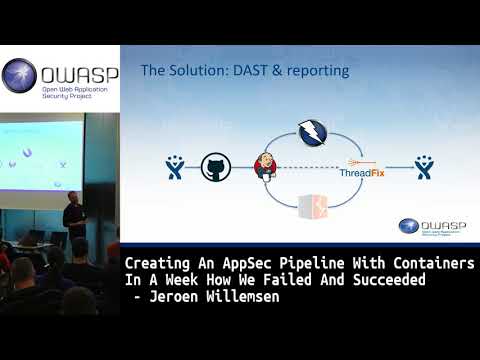
Industry experts analyze emerging threats surrounding OWASP BeNeLux Day Creating An AppSec Pipeline With Containers In A Week by Jeroen Willemsen.

OWASP Foundation·25 min
Jeroen Willemsen
Engineers explore architecture and security mechanisms for AppSec EU 2017 Creating An AppSec Pipeline With Containers In A Week by Jeroen Willemsen.

Kaspersky·6 min
Analysts investigate attack surfaces and defenses concerning How to configure scanning Docker containers in Kaspersky Endpoint Security for Linux.