Leyrer
Modern Command Line Tools examines Leyrer.
Summary
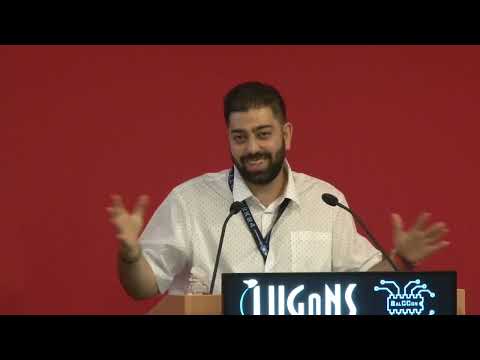
### Overview In this presentation at BalCCon, Martin Leyrer introduces a curated selection of modern command-line utilities written in the Rust programming language. Leyrer emphasizes that as computing environments have modernized—shifting from single-core architectures with limited RAM to multicore processors, gigabytes to terabytes of memory, and fast NVMe/SSD storage—legacy Unix utilities can fall short. Grounded in the Unix philosophy originally defined by Douglas McIlroy (doing one thing well, composing programs via pipelines, and handling text data), these Rust-based alternatives introduce modern optimizations, sensible defaults, Git awareness, and richer visual output without leaning into cloud dependencies or npm bloat.
### Key Topics - **Philosophy and Design Conventions**: Rust-written CLI tools consistently adopt modern conventions: aggressive parallelization, respecting `.gitignore` files and hidden files automatically, reducing repetitive error noise (e.g., file permission warnings), and presenting colorful terminal output. - **File System and Text Utilities**: Replacements for staple tools like `cat`, `diff`, `find`, `grep`, and `ls` with tools that offer syntax highlighting, structural understanding, and regex optimizations. - **Disk and Process Inspection**: Utilities aimed at inspecting disk usage, mount points, and container-aware process tables. - **Data Wrangling and Security Applications**: Command-line utilities designed for structured data like CSV, HTML, and DNS records, as well as specialized tools for sanitizing wordlists and computing set operations across text files.
### Technical Details Leyrer reviews numerous specific utilities across different domains: - **Text and Diffing**: `bat` acts as a `cat` clone with syntax highlighting, line numbers, non-printable character display, Git modification markers, and an automatic pager that shuts off when piped. `difftastic` performs structural diffs based on syntax and nesting rather than simple line-by-line comparisons. `sd` serves as an intuitive search-and-replace tool alternative to `sed`, featuring a string literal mode and simplified syntax. - **Navigation and File Search**: `zoxide` remembers visited paths for fast directory switching across major shells. `xcp` replaces `cp` with a progress bar and aggressive parallel IO tailored for modern SSDs. `fd` replaces `find` with faster execution, shorter syntax, default regex, and extension filtering (`-e`). `ripgrep` (`rg`) provides fast line-oriented searching that honors Git ignore rules and outperforms legacy search across large codebases like the Linux kernel. - **Directory and Disk Inspection**: `eza` (formerly `exa`) and `lsd` replace `ls`, adding file icons, tree views, mount details, Git repo status, and SELinux contexts. `diskonaut` / `dysk` (`dis`) lists file systems and physical disks with JSON output and SI/IEC unit options. `dust` improves upon `du` by providing an intuitive visual tree of disk usage while suppressing redundant permission denial warnings. `erdtree` (`et`) combines file system tree navigation, regex searching, and disk usage visualization. - **Process and File Management**: `procs` replaces `ps`, supporting dark/light theme detection, multi-column search, watch mode, and container inspection for Docker and Podman. `rip` acts as a safe removal tool, moving deleted files to a graveyard with restore capabilities (`rip -u`). `yazi` offers an asynchronous terminal file manager with inline preview, batch renaming, and `fzf` integration. - **Data, Logs, and Networking**: `tailspin` highlights log components (IPs, dates, numbers, error traces) on the fly, while `spacer` inserts visual demarcations when a command's output pauses. `csvlens` provides an interactive terminal viewer, searcher, and filter for CSV files. `dog` acts as a `dig` replacement supporting DNS over TLS (DoT) and DNS over HTTPS (DoH) with JSON output. `f-select` enables SQL queries against file systems and zip archives. `htmlq` operates like `jq` for HTML using CSS selectors. `inlyne` leverages the GPU to render markdown and HTML locally. `xh` is a fast HTTP tool with formatted responses and download progress indicators. `starship` supplies a fast, customizable shell prompt. - **Security and Set Operations**: For security auditing and password analysis, `tidy` efficiently merges and cleans large wordlists (deduplicating, trimming whitespace, and stripping specific character sets). `zet` performs fast mathematical set operations (union, intersect, diff, single) across multiple text files in parallel.
### Takeaways While Leyrer notes that consultants and administrators may often be constrained to stock POSIX utilities on client systems, adopting these modern tools on local machines significantly speeds up daily tasks. Incorporating them via shell aliases, pairing them with interactive fuzzy finders like `fzf`, and utilizing emerging projects like Rust's `uutils` (a Rust implementation of coreutils) provides a safer, faster, and more ergonomic command-line workflow.
Related talks
BalCCon2k24·58 min
Zero Days Foe
Security researchers investigate Ali - Dev Ally and analyze defensive countermeasures.


Videos·9 min
Raphaël Conz
Security researchers investigate Introduction and analyze defensive countermeasures.